
What is a data duration?
Data duration refers to the number of months of data you choose to collect from a meter. If your account is enrolled in Duration Based Pricing, you can customize the data duration to fit your needs.
What if I don’t set a data duration?
Your account's default data duration will automatically be set to 12 months. However, you can change it to as short as 1 month or as long as 36 months at any time.
How do I change my default data duration?
You can change your account's default data duration in your dashboard settings or at a meter level by following the steps below.
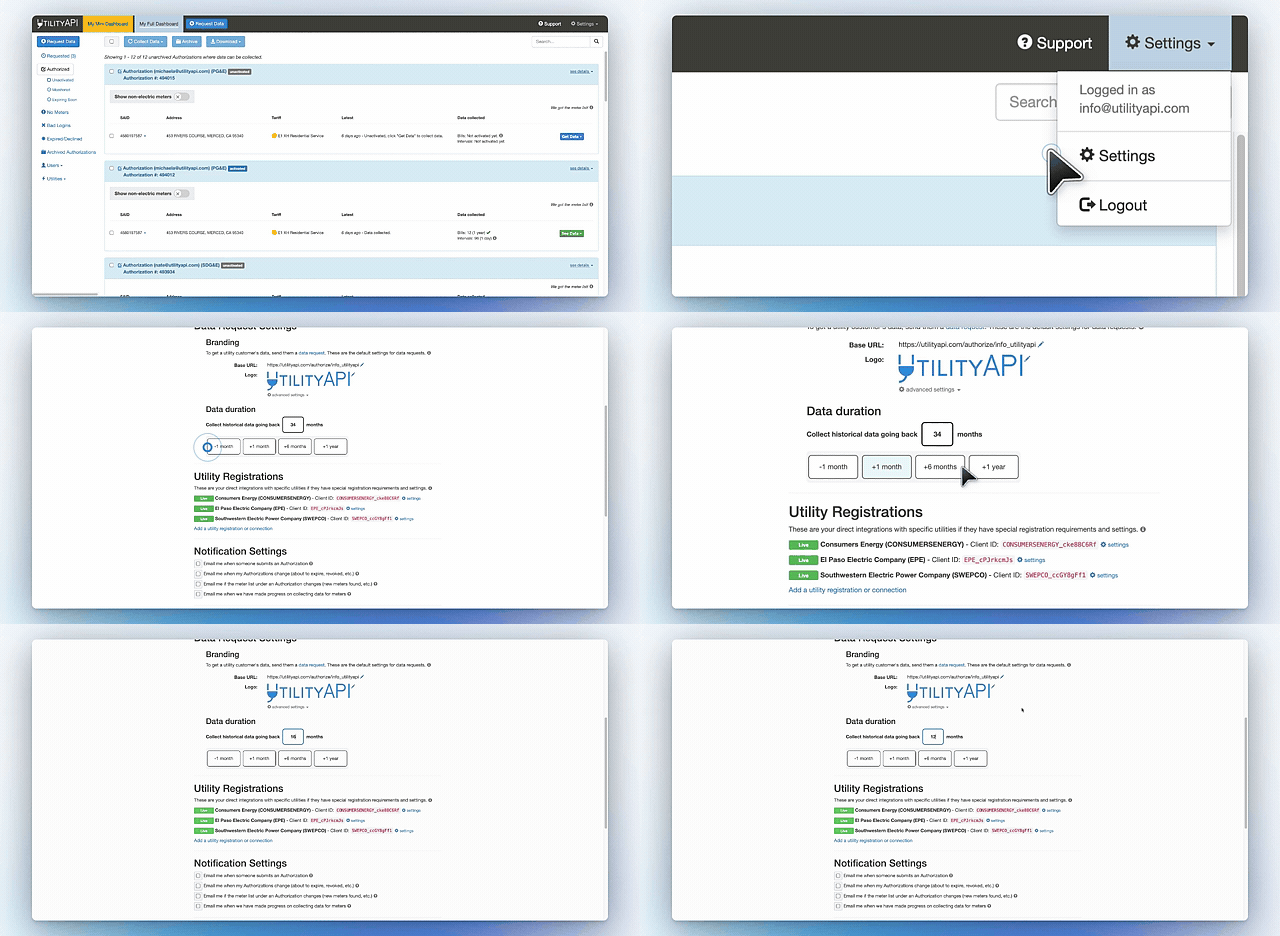
From your dashboard settings:
- Navigate to your account's Data Request Settings in your dashboard.
- Under the Data Duration section, you can either enter the months of data you want to collect or use the buttons to set your data duration.
From a meter on your dashboard:
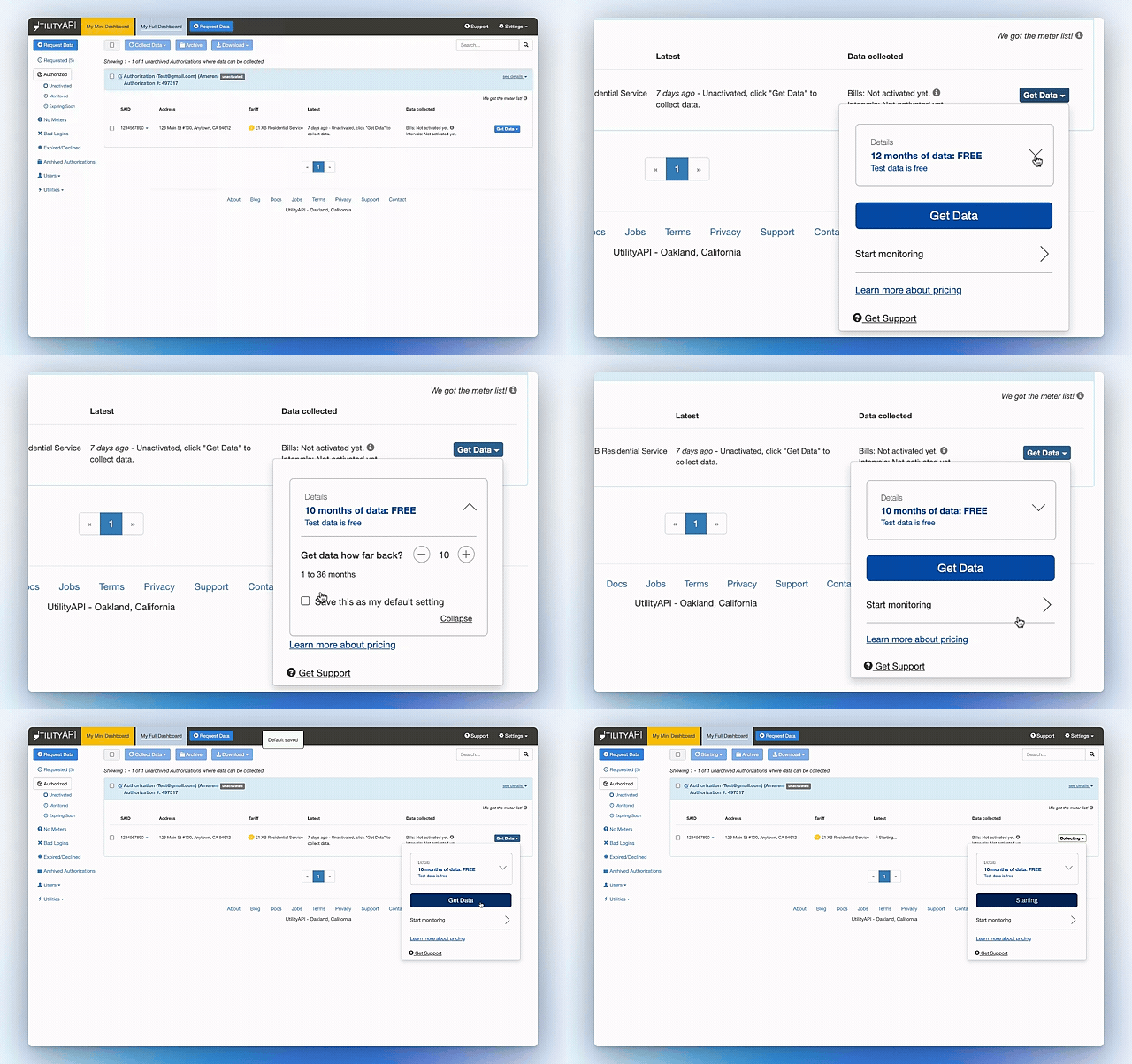
- Navigate and click on a meter with a blue “Get Data” button.
- Select the dropdown arrow next to “Details”
- Adjust the number of months next to “Get data how far back?”
- Select “Save as my default setting” and click collapse to save the settings.
What if I want to collect a different data duration for a specific meter than my default setting?
You can override the default data duration setting at the meter level.
- Navigate to “Get Data” on a meter
- Select the dropdown arrow next to “Details”
- Next to “Get data how far back?” adjust the time frame
- Select “Collapse”
- Select “Get data”
Can I adjust the data duration after I have already collected data?
Yes, once you have already collected data on a meter, set your "Default Collection Duration" in your Data Request Settings to the duration of data that you would like to collect.
- Navigate to the meter you would like to adjust the data duration for
- Click on "See Data"
- Select "Refresh Historical Data"
The refresh will pull in the default collection duration and fill in any gaps from your previous data collection.