
Overview
UtilityAPI’s Green Button Proxy Data Access Method offers an alternative way to access Pacific Gas and Electric (PG&E) customer utility data in the same format as our other data access methods and is not impacted by PG&E’s multi-factor authentication (MFA) requirements .
Meter, Bill, and Interval data are available through Green Button Proxy. Copies of bill PDFs are not available through Green Button Proxy.
Unique PG&E Proxy Authorization Link
In order to request data through PG&E Proxy, you will need to use a unique link. Your PG&E Proxy authorization link will have the same alias as your default authorization link.
The "alias" in the example below is "acme_solar"
-
If your default authorization link is: https://utilityapi.com/authorize/acme_solar
-
Your PG&E proxy authorization is: https://utilityapi.com/pge/gb-oauth/acme_solar
Step-by-Step Instructions for the Utility Account Holder (UAH)
Below are the detailed steps the utility account holder (i.e., the utility customer) must take to complete the authorization process.
Step 1: Send your unique Proxy authorization form to the UAH.
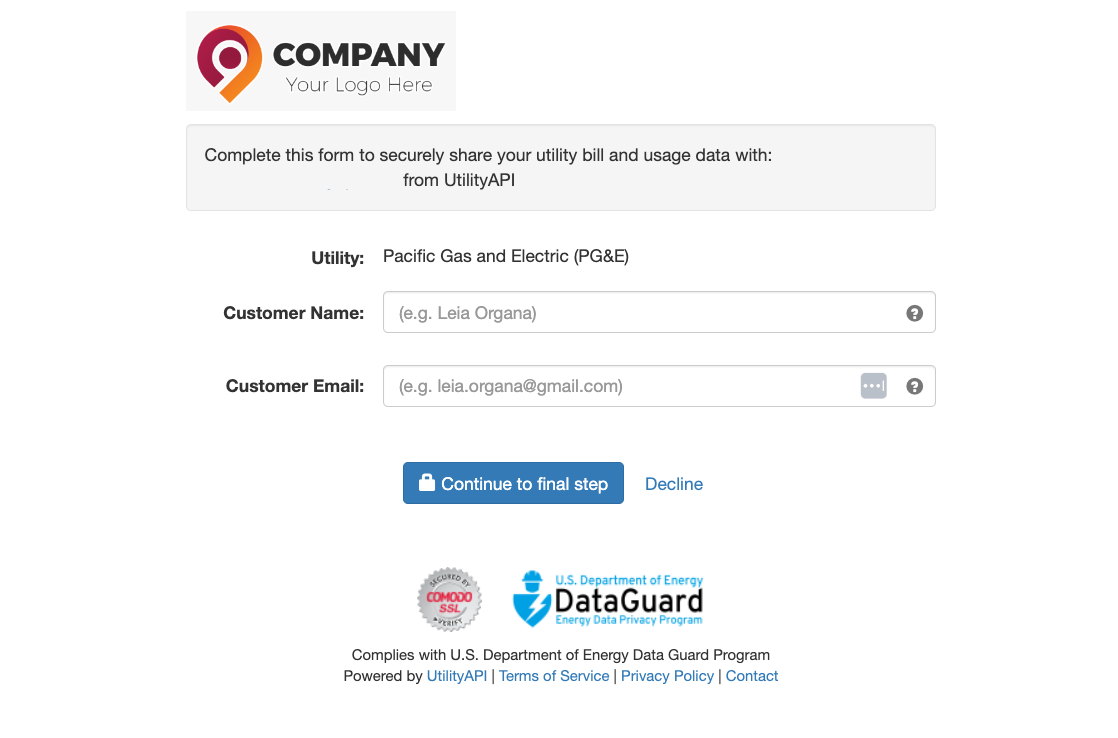
Step 2: The UAH enters their Name and Email and clicks the “Continue to final step” button, redirecting them to PG&E’s Share My Data platform.
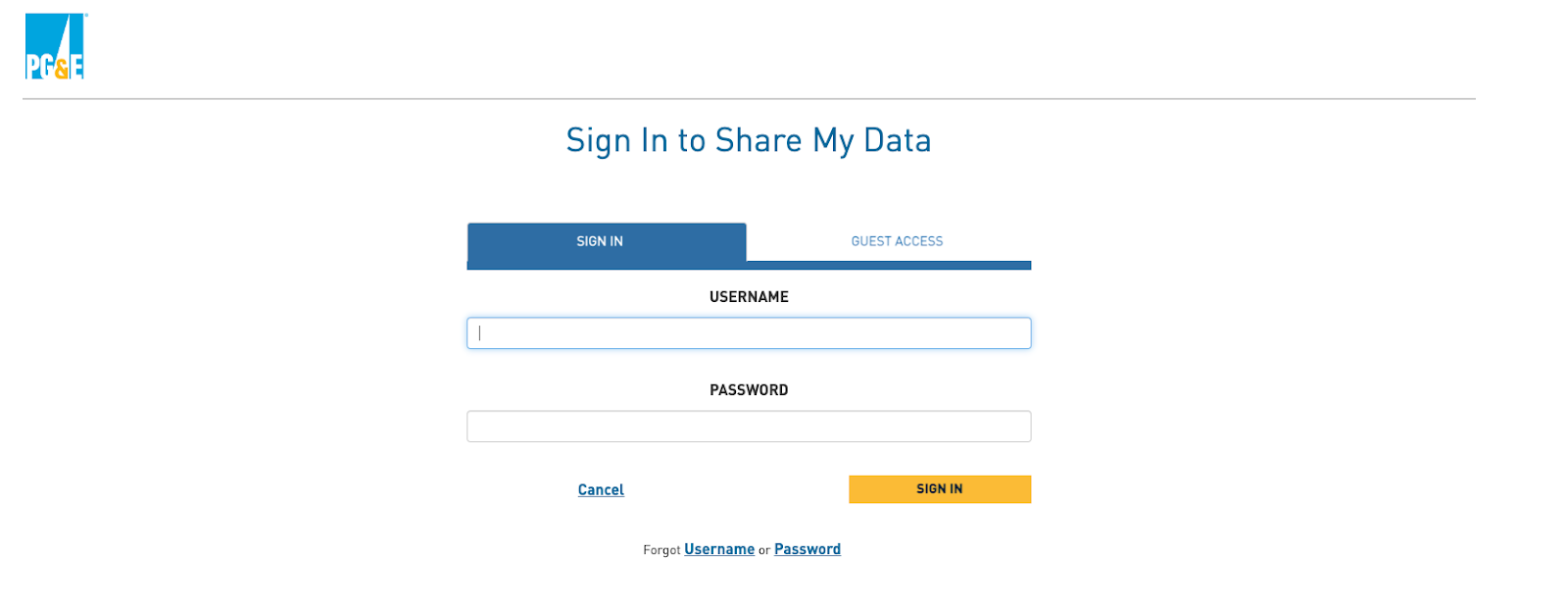
Step 3: The UAH will sign in to their online PG&E account using their username and password.
Step 4: On PG&E’s Share My Data platform, the UAH selects the data they want to share and clicks the yellow “Submit” button to complete the authorization.
By default, the UAH will share all available data. We strongly encourage you to communicate with them to keep it this way.
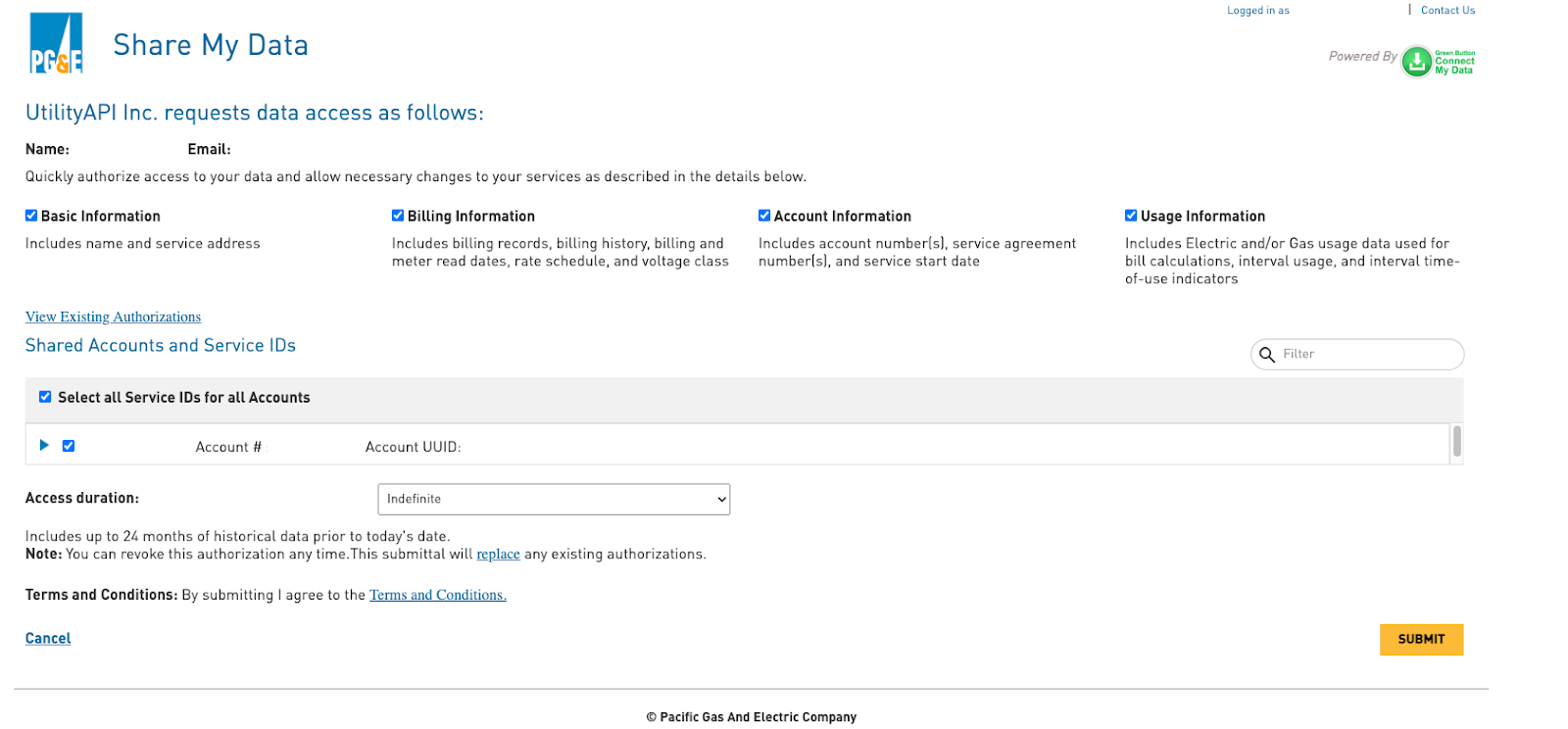
Once the utility account holder clicks the yellow “Submit” button, the authorization process is complete. In minutes, a new authorization will be available in your account via the dashboard or API.